
iPhone
在 App Store 搜索
“Xesim”并安装。Search “Xesim” on the
App Store and install it.
三步上手:安装 App → 关联 X7 → 下载 eSIMThree steps: install the app → link X7 → download eSIMs
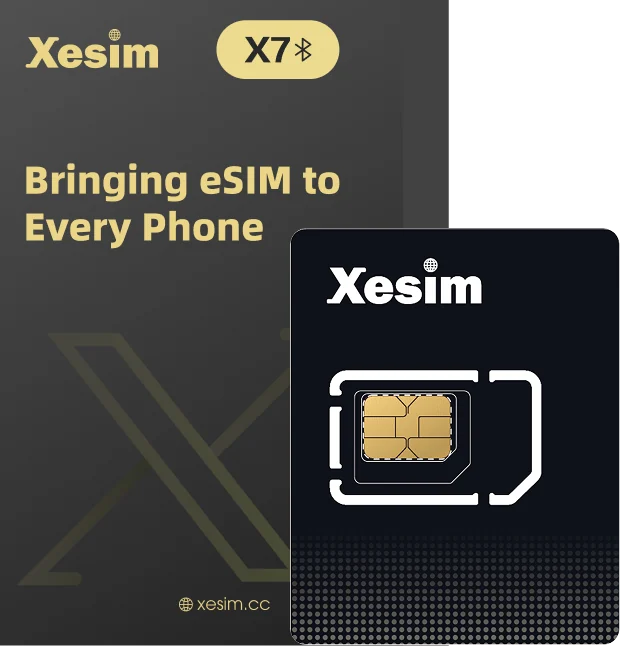
安装、关联、下载,再确认联网。跟着步骤完成即可。Install, link, download, then confirm you're online. Just follow the steps.
卡片 EID 条形码Card EID barcode
印在大卡背面,旁边有完整的 32 位 EID。Printed on the back of the carrier card, next to the full 32-digit EID.
eSIM实体卡全球唯一标识The globally unique ID of your eSIM card套餐 eSIM 二维码Plan eSIM QR code
由套餐供应商提供,也可能提供激活码字符串。Provided by your plan provider, sometimes as an activation code string instead.
用于下载 eSIMUsed to download the eSIM选择你的手机平台,完成安装。Choose your phone platform and install.
在 App Store 搜索
“Xesim”并安装。Search “Xesim” on the
App Store and install it.
通过 Google Play 安装,
或从官网下载 APK。Install from Google Play,
or get the APK from our site.
按系统版本选择安装方式(见下方说明)Install method depends on your system version (see note below)
下载 APK ›(4.X 及以前)Download APK › (4.X and earlier)三平台操作一致,扫描条形码或手动输入 EID 均可。关联只需首次做一次。Same steps on every platform — scan the barcode or type in the EID. Linking is a one-time step.
取下 X7 小卡,正确放入手机 SIM 卡托,再将卡托装回手机。请保留印有 EID 的大卡。Pop out the X7 adapter, place it correctly in your phone's SIM tray, and slide the tray back in. Keep the carrier card printed with the EID.
开启手机蓝牙,在 App 中按提示完成首次设置,并允许所需权限。Turn on Bluetooth, follow the in-app prompts to finish first-time setup, and allow the permissions it asks for.
扫描大卡背面的 EID 条形码,或手动输入完整的 32 位 EID。核对卡片信息,按提示完成关联。Scan the EID barcode on the back of the carrier card, or type in the full 32-digit EID. Check the card details and follow the prompts to finish linking.
进入卡片管理页面,确认显示的是你的 X7,并检查连接状态。显示“已连接”后,继续下载或管理 eSIM。Open the card management page, make sure it shows your X7, and check the connection status. Once it says “Connected”, go ahead and download or manage eSIMs.
在 App 中看到此状态,即可继续下一步。When you see this status in the app, you're ready for the next step.
这一步,使用套餐供应商提供的 eSIM 二维码。For this step, use the eSIM QR code from your plan provider.
保持手机联网,确认 X7 已连接。在 eSIM 列表中点击“添加 eSIM”,选择“扫码”。Keep your phone online and make sure X7 is connected. In the eSIM list, tap “Add eSIM” and choose “Scan”.
扫描供应商提供的 eSIM 二维码,等待读取信息。核对后确认下载;如需确认码,按供应商提供的信息填写。Scan the eSIM QR code from your provider and wait for the details to load. Check them, then confirm the download; if a confirmation code is required, enter the one your provider gave you.
保持手机网络与蓝牙连接稳定,不要取出卡片或退出 App。完成后,在 eSIM 列表中找到新套餐。Keep your network and Bluetooth connection stable — don't remove the card or leave the app. When it's done, you'll find the new plan in the eSIM list.
选择已保存的
套餐二维码图片。Pick a saved image
of the plan's QR code.
按供应商提供的
激活信息填写。Enter the activation
details from your provider.
持有适用兑换码时,
按页面提示操作。If you have a valid redeem
code, follow the prompts.
下载成功后,还有最后一步。Once the download succeeds, there's one last step.
在 App 中找到刚下载的 eSIM,开启对应开关,等待启用完成。Find the eSIM you just downloaded in the app, turn on its switch, and wait for it to finish enabling.
进入手机移动网络设置,开启 X7 所在线路。需要使用它上网时,将其设为移动数据线路。iPhone 可进入“设置 → 蜂窝网络”。In your phone's mobile network settings, turn on the line X7 is in. To go online with it, set it as your mobile data line. On iPhone, go to Settings → Cellular.
按套餐供应商要求检查数据漫游和 APN;需要手动填写时,使用供应商提供的信息。Check Data Roaming and APN as your plan provider requires; if you need to enter them manually, use the details from your provider.
等待网络注册,暂时关闭 Wi-Fi,打开网页并刷新,确认能加载新内容。Wait for the phone to register on the network, turn Wi-Fi off for a moment, then open a web page and refresh to confirm new content loads.
下载完成、启用成功、能够上网,是三个不同的检查环节。Downloaded, enabled and online are three separate checks.
还没连上?查看排错Still not connected? Troubleshoot通话和短信能力以套餐说明为准。仅需接收短信时,不必为了验证而开启可能收费的数据服务。Calling and SMS depend on your plan. If you only need to receive texts, there's no need to turn on data services that may cost money just to test.
连接 X7 后,按需要查看和管理卡内 eSIM。With X7 connected, view and manage the eSIMs on your card as needed.
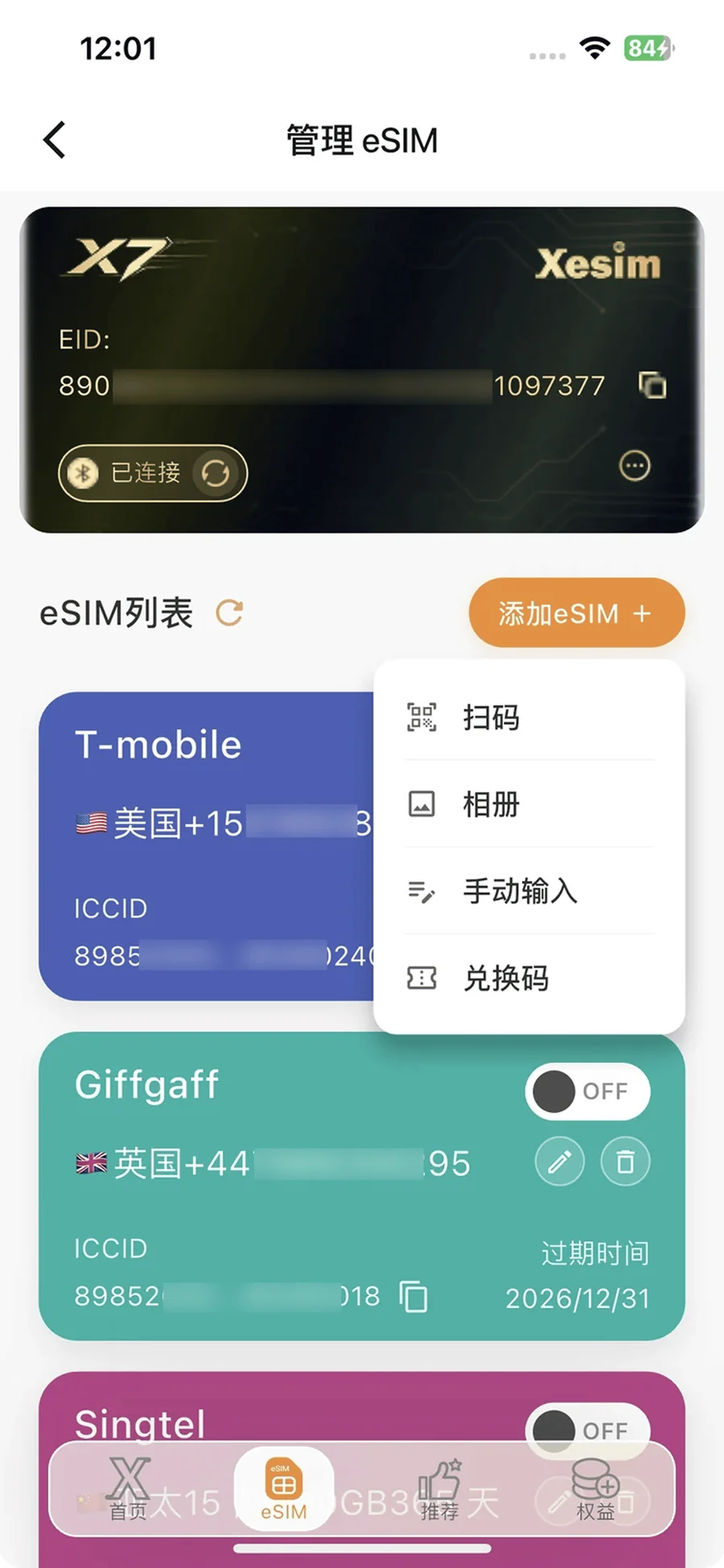
查看并复制 EID;为套餐添加易于识别的备注,如“日本旅行”。View and copy your EID; give plans a label that's easy to recognise, like “Japan trip”.
开启要使用的 eSIM,等待操作完成及手机重新注册网络。Turn on the eSIM you want to use, then wait for the switch to finish and your phone to re-register on the network.
暂停使用,保留卡内 eSIM。禁用不等于暂停套餐计费或有效期。Pause an eSIM while keeping it on the card. Disabling doesn't pause your plan's billing or validity period.
移除不再需要的 eSIM。先确认号码、余额及能否重新下载。Remove eSIMs you no longer need. First check the number, balance, and whether it can be downloaded again.
将 X7 插入兼容的新手机,安装 Xesim App,再按以下情况操作:Put X7 into a compatible new phone, install the Xesim app, then follow the case that fits:
| 新手机平台New phone | 关联方式Linking |
|---|---|
| iPhone · 已登录专属用户iPhone · signed in to your Xesim account | 登录同一专属用户,无需重新关联Sign in to the same account — no need to link again |
| iPhone · 未登录专属用户iPhone · not signed in | 需要重新关联Link again |
| Android / 鸿蒙Android / HarmonyOS | 均需要重新关联Link again |
重新关联时,可扫描 EID 条形码或手动输入 32 位 EID。更换手机不会清空卡内 eSIM;套餐的设备使用限制以供应商规则为准。When linking again, scan the EID barcode or type in the 32-digit EID. Switching phones doesn't erase the eSIMs on the card; any device limits on your plan follow your provider's rules.
选择你当前遇到的情况,按顺序检查。Pick what's happening and check each step in order.
请准备手机型号、系统与 App 版本、问题截图。涉及网络时,补充所在地区及套餐名称。Have your phone model, system and app version, and screenshots of the issue ready. For network issues, include your location and plan name.
联系官方客服Contact official support